

Hello Readers
This is a quick blog to let you know about my give away app. This app will help you in the following:
- Tracking visits to specific centre facility
- Creating Visitors
- Create Visits on your mobile and get rid of your notebook
- Market membership and other services to visitors based on visit trends
You no longer need to print or file papers for a visitors sign in or entry. You can even extend it to a level that employees can be informed of the visitor.
Github: https://github.com/diyd365/Visitor-Register-PowerApps-
In order to consume the App, you will need to follow the steps below:
Step 1: Install the Model Driven App solution to your D365 CE environment. This includes:
| Entity | Views | Forms |
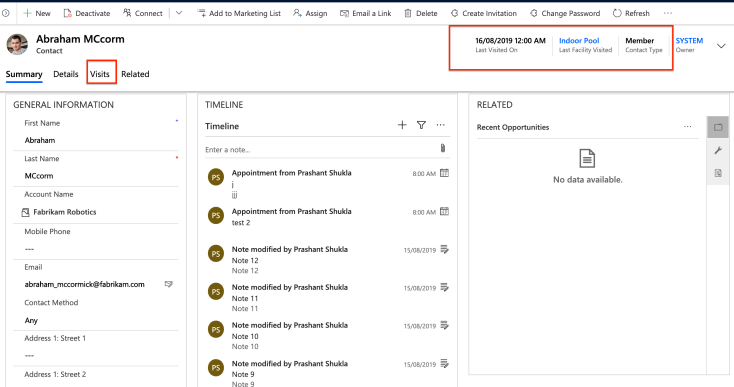
| Contact (OOB) | Member/Visitor (Custom) | Member Visitor (Custom) |
| Visits (Custom) | Active and Inactive | Visits |
| Facility/Equipment (OOB) | All | All |
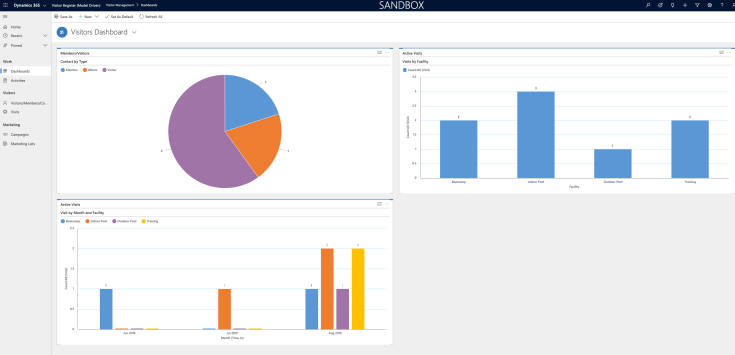
One Dashboard- Visitor Management
Step 2: Import the PowerApps to your make.powerapps.com environment. This includes:
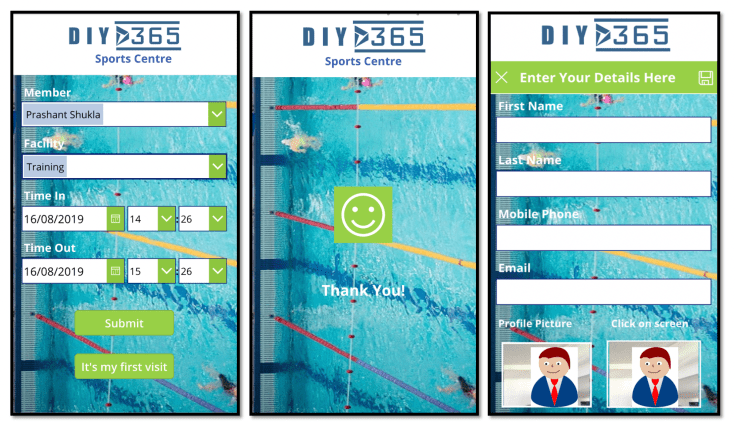
| Screen | Components |
| Entry Screen | Visit form |
| Success | Success and Navigate back |
| New Visitor | Contact form
Camera Profile Pic |
Here’s a short video:
Hope it helps!
Happy CRMing!

 DIY D365