PowerApps for Business Users & Consultants: Episode 7- Inserting MS Flow as an action in PowerApps
Hi Readers and Viewers In this episode we will see, how to insert a flow in a PowerApp without having to connect the app with any data source. Some key points below: No data source required for your PowerApp Just create labels and Text inputs on the screen Add a flow Push data to your... Continue Reading →

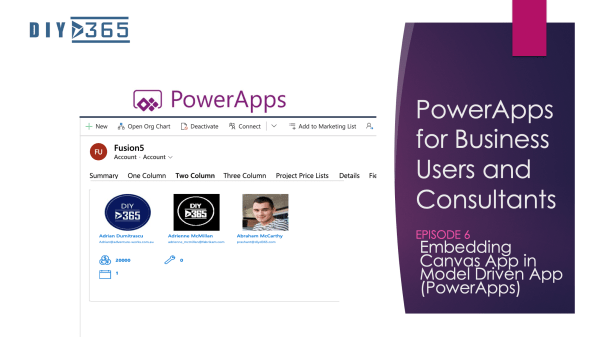
PowerApps for Business Users & Consultants: Episode 6- Embedding Canvas App in Model Driven App

Hi Readers and Viewers In this episode, we are going to look at, How to embed a canvas app into a model driven app. We talk about the following limitations: One canvas app per model driven form. Changes in each app must be published separately to reflect. We talk about some tips: Change format of... Continue Reading →

Video: Patient Management App

Hi Readers As promised a few weeks ago, here's the demo of Patient Management App. https://youtu.be/QL6vJanEAO0 Refer the blog here, if you prefer reading: https://diyd365.com/2019/09/11/patient-management-app/   Hope it helps!

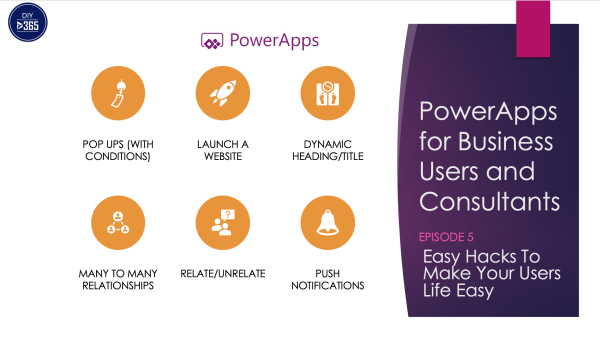
PowerApps for Business Users & Consultants: Episode 5-Easy PowerApps Hacks To Make Your Users Life Easy

Hi Readers and Viewers In this episode we are talking about super easy hacks which will help you in making a user friendly app. Following is what I am talking in the video; I have specified time against each item so I can watch what you want to watch and not the whole video: Pop... Continue Reading →

How to change the name of your PowerApps? (Renaming your app)

Hi Guys In this video we are looking at a quick tip; that tells us how to change the name of your PowerApps. You must have seen the error if you've tried to change the name from the screen when you are editing an app. For more PowerApps tips and tricks, subscribe to my channel... Continue Reading →

PowerApps for Business Users & Consultants: Episode 2- Requirement Gathering

Hi Readers and Viewers In this episode we talk about 'How requirement gathering can help you build a successful app?' We will touch upon the following topics: App Objectives Feature List Finer Details App Requirements Documentation Here's the video: https://youtu.be/O3qVGr2_gJo Hope you find it helpful! Happy CRMing! Licensing: https://powerapps.microsoft.com/en-us/pricing/

Do not create a lead or a contact in Dynamics 365 before you try the Business Card Scanner…

Hi Readers and Viewers This video is just to show you the 'Business Card Scanner' functionality, coming up in Wave 2 release. This was available with AI Builder in canvas apps but with wave 2 we will get this within Dynamics 365. https://youtu.be/zO7MYluZtjI Note: it's currently only available for US and EU instances. Hope it... Continue Reading →

The Secrets of Dynamics 365 Wave 2

Hello Readers and Viewers In this post/video we are uncovering new features of Dynamics 365 expected to release in October 2019 (Wave 2). Please watch: https://youtu.be/f-9S06DgNA4 Note: The audio got a bit messy in between don't know the reason; but you'll understand, I am sure 🙂 Hope it helps! Happy CRMing!

A WordPress.com Website.

Up ↑