How to fix the subgrid in Dynamics 365 UI?
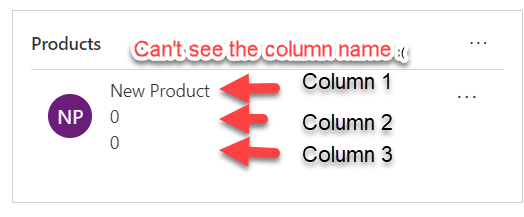
Hello Readers This blog is part of my quick tip series and will be short. if you're struggling with the responsive subgrid in Dynamics 365 and want to permanently fix it, regardless of the screen resolution/zoom or device; here's the solution: Look at the problem first- Sub-grid 1-You see a sub-grid like this: Sub-grid 2-And... Continue Reading →

#TGIF Episode 8: Top Reasons to Use Power Automate (Power Automate vs Dynamics 365 Workflows)

Hi Readers and Viewers Merry Christmas and a very Happy New Year! Thanks for your support in 2019 🙂 In this video, we will look at the top reasons for you to start using Power Automate. Also, this is the last episode of the series so I thought what's better than a comparison. If you... Continue Reading →

#TGIF Episode 7: Using Power Automate (Microsoft Flow) Mobile App To Build A Flow

Hi Readers and Viewers In this blog & video, we will look at the ease of using 'Power Automate' Mobile App. First half of the blog talks about the app structure and components/features available (Almost everything is available) Second half of the blog includes a video where I am demonstrating the app and also create... Continue Reading →

#TGIF Quick Tip on UI Flows (Power Automate, renaming a UI flow)

Hello Readers This quick tip is part of my Thank God it's Flow #TGIF series. There are two tips in this post: Renaming your UI flow Modifying and removing connections Renaming your UI Flow: For general flows you just hit on the pencil/edit button and can rename them by clicking on the name at the... Continue Reading →

#TGIF Episode 6: UI Flows (RPA) in Power Automate (Both desktop & web app)

Hello Readers and Viewers In this episode we will learn about the business use cases of robotic process automation or UI Flows. If you want to learn about setting up UI flows, please read this post https://diyd365.com/2019/12/11/everything-you-need-to-run-a-ui-flow-power-automate We will look at both desktop and web app. I have taken two business scenarios: Automation Testing of... Continue Reading →

Everything you need, to run a UI Flow (Power Automate)

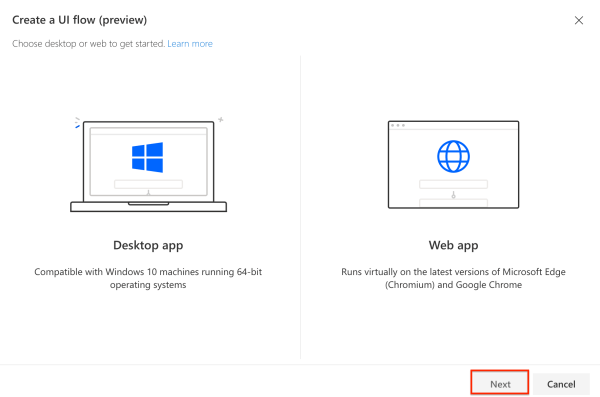
Hello Readers In this post I will take you through the setup required to run a UI Flow (Robotic Process Automation) RPA. Now you might not need it if you running your flow manually and it is not triggered by a button, event etc. Step 1: Log on to flow.microsoft.com Step 2: Go to My... Continue Reading →

#TGIF Episode 4: Understanding ‘Scope’ in Flows (Power Automate)

Hello Readers and Viewers In this episode we will try to understand 'Scope' in flows. This is a comparatively short episode as I have used visuals to explain scope. Scope is available in following categories: User Business Unit Parent Child Business Unit Organisation Custom (Yes, you can enter a custom value) Dynamics 365 people, does... Continue Reading →

#TGIF Episode 3: Most Common ODATA Filter Queries

Hi Readers and Viewers This episode is to summarise my blog post "Every Power Automate Filter Query You Ever Wanted To Know". We will look at the following combinations of ODATA queries: Contains and does not contains for text fields Contains and does not contains for Option Sets Is blank and is not blank Contains... Continue Reading →

Every Power Automate (MS Flow) Filter Query You Ever Wanted To Know As A Functional Consultant

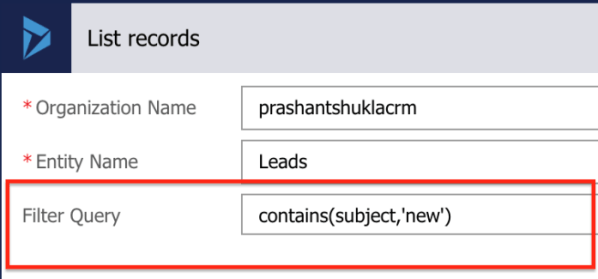
Hello Readers This blog is to help fellow consultants to start their journey on Power Automate. We all know how easy it is to create a flow (Watch #TGIF Episode 2 here, if not already). I am sure as a Business user or a functional consultant, you must have had a situation where you needed... Continue Reading →

A WordPress.com Website.

Up ↑