Hi Readers and Viewers In this episode we will see, how to insert a flow in a PowerApp without having to connect the app with any data source. Some key points below: No data source required for your PowerApp Just create labels and Text inputs on the screen Add a flow Push data to your... Continue Reading →
Managing D365 Security Roles via PowerApps
Hi Readers and Viewers In this video, we will look at D365 Users and security roles in Canvas App. Following are some key features of the app: See list of users See list of security roles Assign security role to a user Check security role of a user Go to D365 Advanced Settings from within... Continue Reading →
PowerApps for Business Users & Consultants: Episode 6- Embedding Canvas App in Model Driven App
Hi Readers and Viewers In this episode, we are going to look at, How to embed a canvas app into a model driven app. We talk about the following limitations: One canvas app per model driven form. Changes in each app must be published separately to reflect. We talk about some tips: Change format of... Continue Reading →
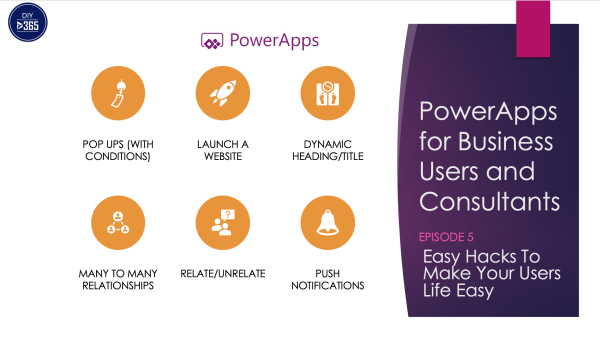
PowerApps for Business Users & Consultants: Episode 5-Easy PowerApps Hacks To Make Your Users Life Easy
Hi Readers and Viewers In this episode we are talking about super easy hacks which will help you in making a user friendly app. Following is what I am talking in the video; I have specified time against each item so I can watch what you want to watch and not the whole video: Pop... Continue Reading →
PowerApps for Business Users & Consultants: Episode 4- Building Your First PowerApp
Hi Readers and Viewers In this episode we are going to build our first app from scratch. This episode is based on a real life scenario to help the residents of a society. The residents will be able to do the following: Service Requests List of 'My Request' Raise a new request Club Events List... Continue Reading →
How to change the name of your PowerApps? (Renaming your app)
Hi Guys In this video we are looking at a quick tip; that tells us how to change the name of your PowerApps. You must have seen the error if you've tried to change the name from the screen when you are editing an app. For more PowerApps tips and tricks, subscribe to my channel... Continue Reading →
PowerApps for Business Users & Consultants: Episode 3- Everyday Formulas
Hi Readers and Viewers In this episode we talk about the most common formulas you would need to build your app. I am calling it everyday formulas. Here’s the video: https://youtu.be/Kp9Ei-Zdrp8 Hope you find it helpful! Happy CRMing!
PowerApps for Business Users & Consultants: Episode 2- Requirement Gathering
Hi Readers and Viewers In this episode we talk about 'How requirement gathering can help you build a successful app?' We will touch upon the following topics: App Objectives Feature List Finer Details App Requirements Documentation Here's the video: https://youtu.be/O3qVGr2_gJo Hope you find it helpful! Happy CRMing! Licensing: https://powerapps.microsoft.com/en-us/pricing/
How To Update An Opportunity From Opportunity Close And Send An Email on Opportunity Close, Using MS Flows? (No Code Solution)
Hello Readers & Viewers In this video, i am showing 'How to send an email with information from Opportunity Close form, using MS Flows?'. This flow will also help you to update opportunities from opportunity close form, it's the same concept. Many of you might know that using the native workflow functionality of Dynamics 365... Continue Reading →
Patient Management App
Hello Readers In this blog, I am going to show you how you can utilise Power Platform and quickly create an app for your clinics. I have used both Canvas and Model driven App. Let's have a look: Canvas App This app is made of 9 screens: Home Screen Patient's Home Screen Patient Registration Screen... Continue Reading →