Plot Multiple Map Points In Power Apps (Canvas Apps) with Dynamic Filters
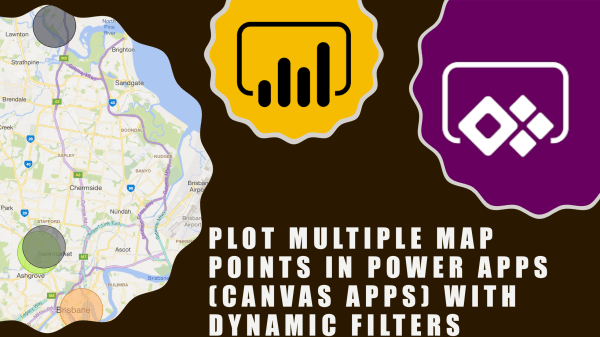
Hi Everyone In this vlog we will see how to see multiple points/pushpins on a map in canvas app. As always, this is a no code solution and fairly basic. I have came across this requirement so many times in Dynamics 365 for e.g. show all customers on a map or contacts on a map... Continue Reading →

How to fix the subgrid in Dynamics 365 UI?

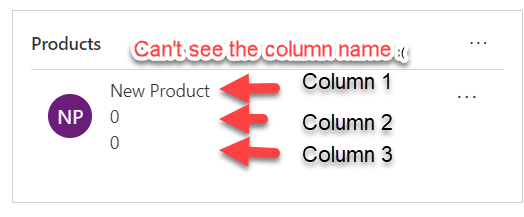
Hello Readers This blog is part of my quick tip series and will be short. if you're struggling with the responsive subgrid in Dynamics 365 and want to permanently fix it, regardless of the screen resolution/zoom or device; here's the solution: Look at the problem first- Sub-grid 1-You see a sub-grid like this: Sub-grid 2-And... Continue Reading →

#TGIF Quick Tip on UI Flows (Power Automate, renaming a UI flow)

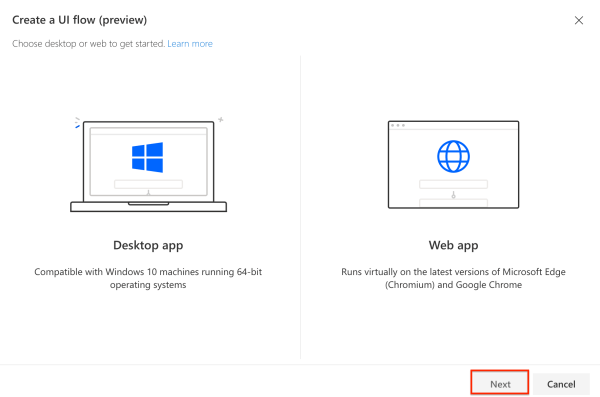
Hello Readers This quick tip is part of my Thank God it's Flow #TGIF series. There are two tips in this post: Renaming your UI flow Modifying and removing connections Renaming your UI Flow: For general flows you just hit on the pencil/edit button and can rename them by clicking on the name at the... Continue Reading →

Everything you need, to run a UI Flow (Power Automate)

Hello Readers In this post I will take you through the setup required to run a UI Flow (Robotic Process Automation) RPA. Now you might not need it if you running your flow manually and it is not triggered by a button, event etc. Step 1: Log on to flow.microsoft.com Step 2: Go to My... Continue Reading →

Populating ‘Item Link’ In Approvals (Power Automate/MS Flow)

Hi Readers This is a quick tip on how to generate a link to the item you want to be approved. Scenario: Whenever a quote is created a approval request must be sent out with a link/URL of quote to be approved. Problem: "Item Link" field only shows the GUID of the quote There's no... Continue Reading →

Using Timer Control In PowerApps (with problem scenarios and Business use cases)

Hello Readers and Viewers This blog/video is part of my quick tip series. We are going to look at how we can force a screen to be visible to a user irrespective of the transition, in other words delay screen transition. Skip to the video, if you don't want to read Example Problem 1: if... Continue Reading →

How To Customise Microsoft Forms Pro Theme? (MS FormsPro)

Hi Guys This video is part of my quick tip series. In this video we will see the following: 1. Changing theme in Forms Pro 2. How to create custom theme for Forms Pro (with dimensions)? 3. Change colour of the Survey header based on the custom theme 4. Where to get Hex colour codes?... Continue Reading →

How to change the name of your PowerApps? (Renaming your app)

Hi Guys In this video we are looking at a quick tip; that tells us how to change the name of your PowerApps. You must have seen the error if you've tried to change the name from the screen when you are editing an app. For more PowerApps tips and tricks, subscribe to my channel... Continue Reading →

Do not create a lead or a contact in Dynamics 365 before you try the Business Card Scanner…

Hi Readers and Viewers This video is just to show you the 'Business Card Scanner' functionality, coming up in Wave 2 release. This was available with AI Builder in canvas apps but with wave 2 we will get this within Dynamics 365. https://youtu.be/zO7MYluZtjI Note: it's currently only available for US and EU instances. Hope it... Continue Reading →

How To Use The Invisible ‘Embed Media’ Button On Knowledge Articles To Insert A YouTube Video

Hello Readers and Viewers In this video I will show you how to embed media in a Knowledge Article. This doesn't require you to know HTML. (Another No code solution). Here's the invisible 'Embed Media' button: Here's the video for you. https://www.youtube.com/watch?v=xlB-H0ifapw Hope it helps! Happy CRMing Guys!

A WordPress.com Website.

Up ↑