Everything You Need to Know About Embedded Canvas Apps

Hello Readers Hope you are all well! It's been a while since I last wrote, I got super busy with my community events and the new work life. I will try to be as regular as possible on my posts. Today, I am sharing everything I know about using an embedded canvas app in Dynamics... Continue Reading →

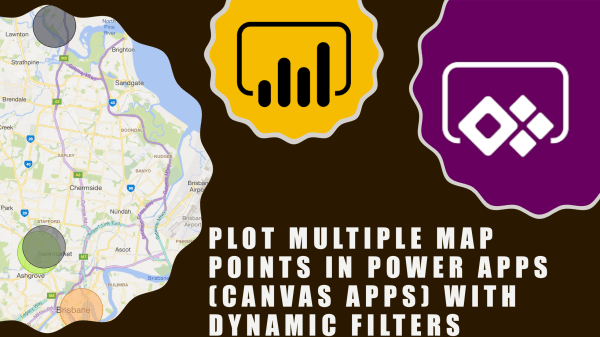
Plot Multiple Map Points In Power Apps (Canvas Apps) with Dynamic Filters

Hi Everyone In this vlog we will see how to see multiple points/pushpins on a map in canvas app. As always, this is a no code solution and fairly basic. I have came across this requirement so many times in Dynamics 365 for e.g. show all customers on a map or contacts on a map... Continue Reading →

Sharing my MVP Award with you!

Hi Everyone A huge thank you to all for supporting me by watching my videos, subscribing to my channel and blog. it couldn't have been possible without your support and that's why I decided to share my MVP award with you by unboxing it together. I received the notification of my award via email on... Continue Reading →

Using Timer Control In PowerApps (with problem scenarios and Business use cases)

Hello Readers and Viewers This blog/video is part of my quick tip series. We are going to look at how we can force a screen to be visible to a user irrespective of the transition, in other words delay screen transition. Skip to the video, if you don't want to read Example Problem 1: if... Continue Reading →

The Master is here for the Brisbane PowerApps and Flow User Group

Hello QLDers I am really excited to give you a heads-up that in next month's User Group, we will have the master himself presenting. Did you guess it yet? it's Charles Sterling 🙂 Linkedin here Twitter here Following is what he's going to talk about (Still in discussion): PowerApps AI Builder Integrating PowerApps and Power... Continue Reading →

Mocking Up Genius Bar’s Create Your Style App with PowerApps

Hi Readers and Viewers This is a short video where I am trying to mockup genius bar's 'Create your style' app/feature. This can help you if you sell product bundles which work together as a bundle only for e,g, tablet and keyboard. Watch the video here: https://youtu.be/_D7pKPmgauc Let me know your thoughts! Subscribe to my channel and... Continue Reading →

PowerApps for Business Users & Consultants: Episode 8- Infusing AI in your PowerApps

Hi Readers and Viewers With this episode, I am concluding my 'PowerApps for Business Users and Consultants' series. In this episode, we are going to look at using AI builder components in our PowerApps. AI Builder currently has following components in preview: Business Card Reader Form Processor Text Classification Object Detection Prediction We have focussed... Continue Reading →

PowerApps & Flow User Group App for Leaders, Hosts, Organisers and Coordinators

Hello Readers and Viewers As User Group organisers, it becomes difficult for us to track the attendance of participants mostly due to the format of the meeting. In our last week's UG we were prepared to break the ice and created an app to check in attendees. Following is what you can do with the... Continue Reading →

PowerApps for Business Users & Consultants: Episode 7- Inserting MS Flow as an action in PowerApps

Hi Readers and Viewers In this episode we will see, how to insert a flow in a PowerApp without having to connect the app with any data source. Some key points below: No data source required for your PowerApp Just create labels and Text inputs on the screen Add a flow Push data to your... Continue Reading →

Managing D365 Security Roles via PowerApps

Hi Readers and Viewers In this video, we will look at D365 Users and security roles in Canvas App. Following are some key features of the app: See list of users See list of security roles Assign security role to a user Check security role of a user Go to D365 Advanced Settings from within... Continue Reading →

A WordPress.com Website.

Up ↑