Hi Readers and Viewers This is a short video where I am trying to mockup genius bar's 'Create your style' app/feature. This can help you if you sell product bundles which work together as a bundle only for e,g, tablet and keyboard. Watch the video here: https://youtu.be/_D7pKPmgauc Let me know your thoughts! Subscribe to my channel and... Continue Reading →
PowerApps for Business Users & Consultants: Episode 8- Infusing AI in your PowerApps
Hi Readers and Viewers With this episode, I am concluding my 'PowerApps for Business Users and Consultants' series. In this episode, we are going to look at using AI builder components in our PowerApps. AI Builder currently has following components in preview: Business Card Reader Form Processor Text Classification Object Detection Prediction We have focussed... Continue Reading →
PowerApps & Flow User Group App for Leaders, Hosts, Organisers and Coordinators
Hello Readers and Viewers As User Group organisers, it becomes difficult for us to track the attendance of participants mostly due to the format of the meeting. In our last week's UG we were prepared to break the ice and created an app to check in attendees. Following is what you can do with the... Continue Reading →
PowerApps for Business Users & Consultants: Episode 7- Inserting MS Flow as an action in PowerApps
Hi Readers and Viewers In this episode we will see, how to insert a flow in a PowerApp without having to connect the app with any data source. Some key points below: No data source required for your PowerApp Just create labels and Text inputs on the screen Add a flow Push data to your... Continue Reading →
Managing D365 Security Roles via PowerApps
Hi Readers and Viewers In this video, we will look at D365 Users and security roles in Canvas App. Following are some key features of the app: See list of users See list of security roles Assign security role to a user Check security role of a user Go to D365 Advanced Settings from within... Continue Reading →
PowerApps for Business Users & Consultants: Episode 6- Embedding Canvas App in Model Driven App
Hi Readers and Viewers In this episode, we are going to look at, How to embed a canvas app into a model driven app. We talk about the following limitations: One canvas app per model driven form. Changes in each app must be published separately to reflect. We talk about some tips: Change format of... Continue Reading →
Video: Patient Management App
Hi Readers As promised a few weeks ago, here's the demo of Patient Management App. https://youtu.be/QL6vJanEAO0 Refer the blog here, if you prefer reading: https://diyd365.com/2019/09/11/patient-management-app/ Hope it helps!
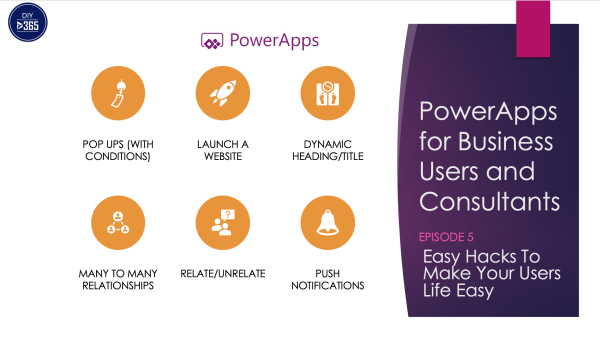
PowerApps for Business Users & Consultants: Episode 5-Easy PowerApps Hacks To Make Your Users Life Easy
Hi Readers and Viewers In this episode we are talking about super easy hacks which will help you in making a user friendly app. Following is what I am talking in the video; I have specified time against each item so I can watch what you want to watch and not the whole video: Pop... Continue Reading →
How To Customise Microsoft Forms Pro Theme? (MS FormsPro)
Hi Guys This video is part of my quick tip series. In this video we will see the following: 1. Changing theme in Forms Pro 2. How to create custom theme for Forms Pro (with dimensions)? 3. Change colour of the Survey header based on the custom theme 4. Where to get Hex colour codes?... Continue Reading →
PowerApps for Business Users & Consultants: Episode 4- Building Your First PowerApp
Hi Readers and Viewers In this episode we are going to build our first app from scratch. This episode is based on a real life scenario to help the residents of a society. The residents will be able to do the following: Service Requests List of 'My Request' Raise a new request Club Events List... Continue Reading →