#TGIF Episode 6: UI Flows (RPA) in Power Automate (Both desktop & web app)
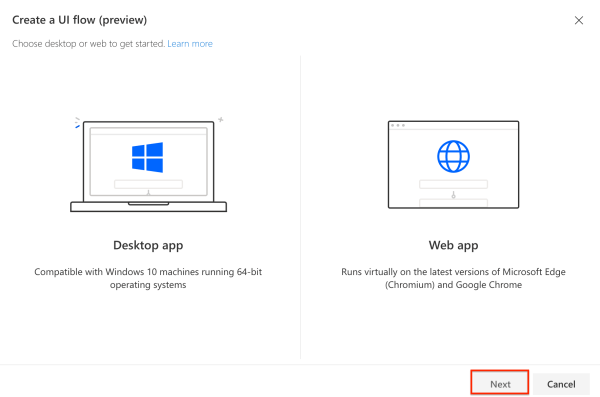
Hello Readers and Viewers In this episode we will learn about the business use cases of robotic process automation or UI Flows. If you want to learn about setting up UI flows, please read this post https://diyd365.com/2019/12/11/everything-you-need-to-run-a-ui-flow-power-automate We will look at both desktop and web app. I have taken two business scenarios: Automation Testing of... Continue Reading →

Everything you need, to run a UI Flow (Power Automate)

Hello Readers In this post I will take you through the setup required to run a UI Flow (Robotic Process Automation) RPA. Now you might not need it if you running your flow manually and it is not triggered by a button, event etc. Step 1: Log on to flow.microsoft.com Step 2: Go to My... Continue Reading →

#TGIF Episode 5: Business Process Flows in Power Automate

Hello Readers and Viewers In this episode we will try to understand all about  Business Process Flows (BPFs). Let's first look at types of Flow available in Power Automate: Flow Team Flow (when you share a flow) Business Process Flow Immersive Non-Immersive/Original/Old UI Flow (RPA) What are Business Process Flows? Business process flows provide a... Continue Reading →

#TGIF Episode 4: Understanding ‘Scope’ in Flows (Power Automate)

Hello Readers and Viewers In this episode we will try to understand 'Scope' in flows. This is a comparatively short episode as I have used visuals to explain scope. Scope is available in following categories: User Business Unit Parent Child Business Unit Organisation Custom (Yes, you can enter a custom value) Dynamics 365 people, does... Continue Reading →

#TGIF Episode 3: Most Common ODATA Filter Queries

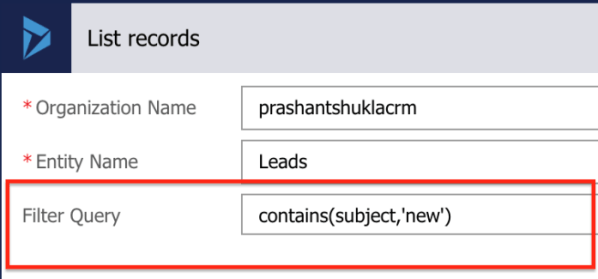
Hi Readers and Viewers This episode is to summarise my blog post "Every Power Automate Filter Query You Ever Wanted To Know". We will look at the following combinations of ODATA queries: Contains and does not contains for text fields Contains and does not contains for Option Sets Is blank and is not blank Contains... Continue Reading →

Every Power Automate (MS Flow) Filter Query You Ever Wanted To Know As A Functional Consultant

Hello Readers This blog is to help fellow consultants to start their journey on Power Automate. We all know how easy it is to create a flow (Watch #TGIF Episode 2 here, if not already). I am sure as a Business user or a functional consultant, you must have had a situation where you needed... Continue Reading →

#TGIF Episode 2: Building Your First Flow

Hi Readers and Viewers In this episode, we will deep dive into Power Automate and will create our first flow. We are also going to see different types of flows available within Power Automate. We will look at the following scenario to create our flow: Scenario: Assign Territory to a customer based on the 'Address... Continue Reading →

#TGIF Episode 1: Getting Started With Microsoft Flow

Hi Readers and Viewers In this episode of TGIF, we are going to see that how you and me can start our Flow journey. This is a short episodes and will cover the following: Licensing Sign up Start page Enter a process name Check templates Check out the mobile app Have you got the reason... Continue Reading →

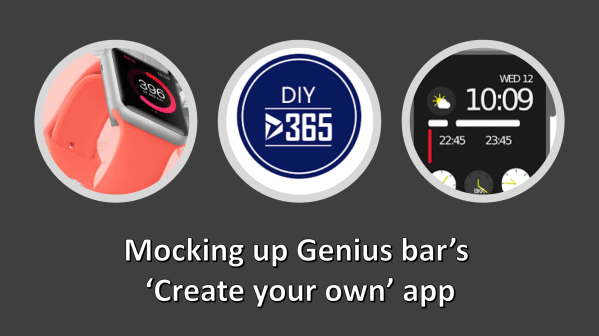
Mocking Up Genius Bar’s Create Your Style App with PowerApps

Hi Readers and Viewers This is a short video where I am trying to mockup genius bar's 'Create your style' app/feature. This can help you if you sell product bundles which work together as a bundle only for e,g, tablet and keyboard. Watch the video here: https://youtu.be/_D7pKPmgauc Let me know your thoughts! Subscribe to my channel and... Continue Reading →

PowerApps for Business Users & Consultants: Episode 8- Infusing AI in your PowerApps

Hi Readers and Viewers With this episode, I am concluding my 'PowerApps for Business Users and Consultants' series. In this episode, we are going to look at using AI builder components in our PowerApps. AI Builder currently has following components in preview: Business Card Reader Form Processor Text Classification Object Detection Prediction We have focussed... Continue Reading →

A WordPress.com Website.

Up ↑